iPhone · Safari
Confirm the download if prompted. Open Safari’s download list or Files, then check Downloads in iCloud Drive or On My iPhone. For a compatible video, use the share menu to save it to Photos.
iPhone saving guideDownload Instagram Reels with IG Downloader. Paste a Reel link, preview the video and save it as MP4, or choose MP3 for audio. Free online—no app installation needed.
Public media only. Save content you own or have permission to use.
Use a Reel you own or have permission to save.
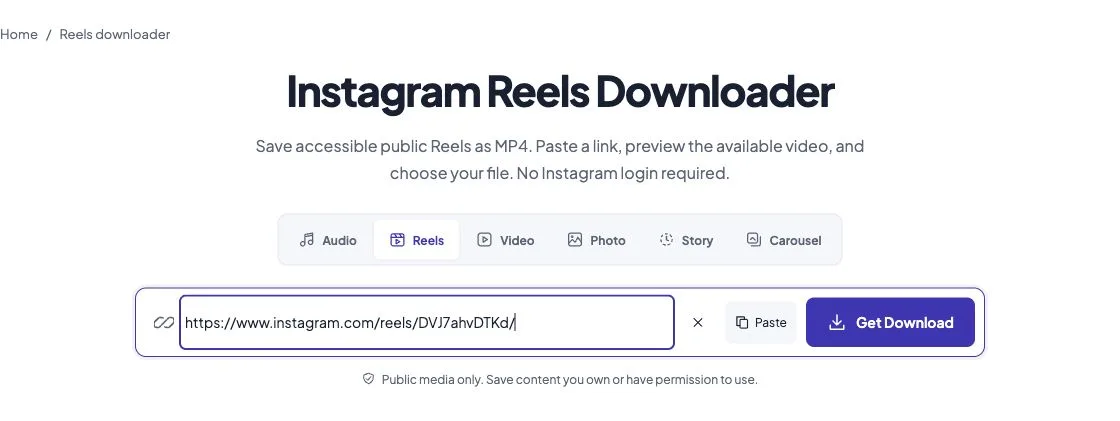
In Instagram, open the Reel, choose Share, then Copy link. On desktop, you can copy the Reel’s address from the browser. If the creator offers an Instagram Download option, you can use that directly.
Instagram’s menus vary by app version. If Copy link is unavailable, open the public Reel in a browser and copy its address.
Paste the link into the URL field and choose Get Download. Wait for the access check; the progress panel shows what is happening.
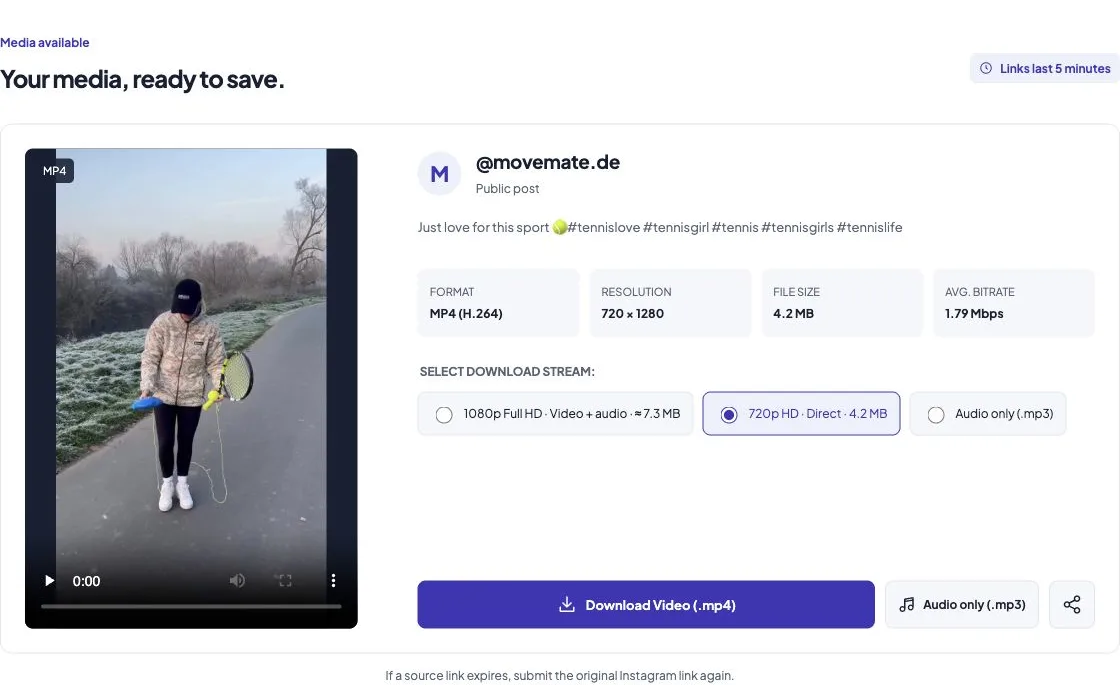
Check the available resolution and audio. Choose a direct MP4 for a simple save, or an available higher-resolution video-and-audio option for browser assembly.
Accessible public Reels — no visitor account or Instagram password.
Available MP4 streams — preview the source and keep its picture and audio when supplied.
Clear file choices — no forced timer, redirect loop or added watermark.
Use this online IG reel downloader to save video with sound, or switch to the Instagram audio downloader for MP3. Direct MP4 is the simplest choice; higher-resolution options appear when the source supplies them.
Confirm the download if prompted. Open Safari’s download list or Files, then check Downloads in iCloud Drive or On My iPhone. For a compatible video, use the share menu to save it to Photos.
iPhone saving guideOpen Chrome’s Downloads or your file manager’s Download folder. Gallery apps may take time to show a new file. Keep the tab open during MP3 conversion or video assembly.
Android Reels guideOpen your browser’s download list and choose Show in folder, or open Downloads in File Explorer. Your browser may use a different folder if you changed its settings.
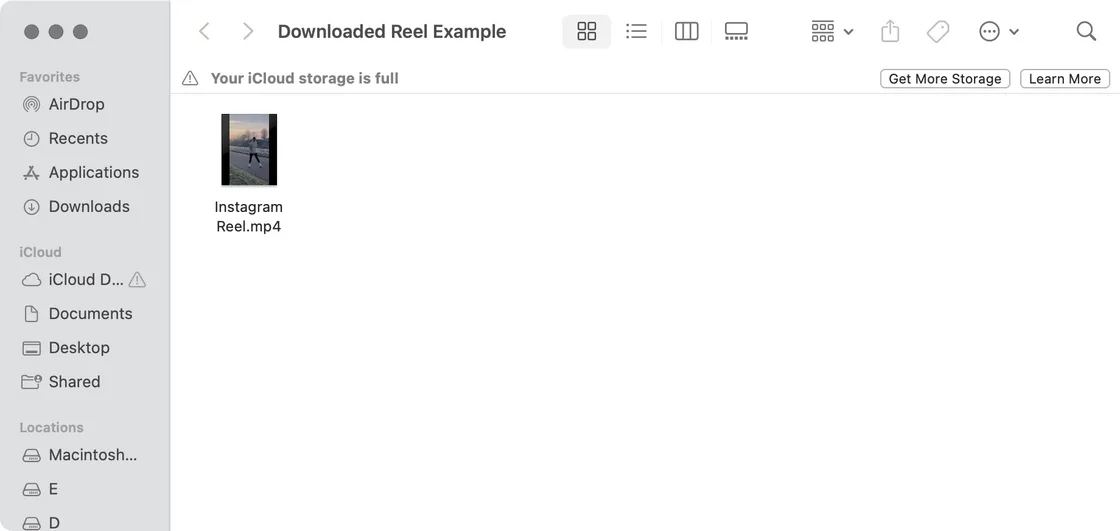
Open the browser’s download list, or Downloads in Finder. The downloaded MP4 can be opened in a compatible player. A VP9 source may need a player other than QuickTime.
MP4 is a container, not a resolution or a promise of compatibility. Instagram may expose several compressed versions of a Reel; those can differ from the creator’s original camera file.
A direct MP4 preserves the available source file. When video and audio arrive as separate tracks, the browser can combine them without re-encoding. Higher-resolution choices appear only when the source supplies them. The tool does not create missing detail, improve sound or remove marks already in the picture.
Browser assembly and MP3 conversion load about 32 MB of tools on first use, with a 50 MB limit per input. For a slow connection or a memory-constrained phone, choose the direct MP4. Read the MP3, MP4 and M4A guide for the differences.
Use an HTTPS Reel or post link from instagram.com. A profile address or an audio-library page is not a Reel URL.
Check whether the creator still offers the post publicly. We cannot retrieve private, restricted or login-only media.
Check your connection and retry once. A rate-limit message means you should wait rather than repeatedly submit the same link.
Check the browser’s download list and permission prompt. After conversion, use Save MP4 again if the automatic save did not begin.
Choose a video-with-audio option. Some players do not support every source codec; try the direct MP4 or a compatible player. A silent source cannot be restored.
Fetch the original Reel again. Copying the temporary download address into another browser will not transfer its session.
Use IG Downloader online: copy a Reel link, paste it above and choose Download Video. There is no app to install or visitor registration. The Reel must be accessible without signing in.
Copy the Reel link from Instagram, paste it into this IG reels downloader and choose an available MP4 option. Preview the clip and its resolution before saving.
Yes. Paste the link to a Reel you published if it is anonymously accessible. You can also check Instagram’s own Download option for your Reel. This tool does not sign in to your account.
Download the MP4 first. On Android, check Downloads or your gallery app. On iPhone, open the file in Files and use Share → Save Video when the format is supported.
Your browser chooses the download location, usually Downloads. This is different from Instagram’s Saved collection, which bookmarks a Reel inside Instagram without downloading a file.
IG Downloader does not ask for your Instagram password or require an extension. Check that you are on igdownloader.co, save only content you trust and avoid entering credentials into third-party download prompts. No website can guarantee that every source file or device is risk-free.
If you own the rights or have permission to save the clip, copy its Reel link and paste it above. Private, deleted or login-only Reels cannot be downloaded through this tool.
Open the Reel from your Saved collection in Instagram and copy its link, then paste it here. IG Downloader cannot read your account’s Saved collection or download that collection in bulk.
IG Downloader adds no watermark to downloaded videos. Any watermark, username or logo already embedded in the source remains; this is not a watermark-removal tool.
No. This downloader never asks for an Instagram password. A public Reel may still be unavailable anonymously; in that case it returns an access error.
No. Private accounts, login-only posts, restricted content and deleted media are unsupported. A link does not override those restrictions.
No. The result lists the streams the source actually exposes. The tool does not upscale video or recover the creator’s original upload.
Yes, use the dedicated Audio tool to prepare an MP3 in your browser. It saves the available Reel soundtrack, not a guaranteed complete song.
Your browser loads about 32 MB of processing tools, downloads the source tracks, and converts or combines them locally. The progress panel shows the real current stage and lets you cancel.
No new watermark is added. Any text, logo or watermark already present in the source picture remains part of that picture.
Links last five minutes and belong to the browser session that fetched them. Paste the original Instagram link again to request a fresh result.
IG Downloader is not affiliated with Instagram or Meta. We never ask for your Instagram password and cannot access private content. Save only media you own or are authorized to keep. Available quality and access depend on the source.
How we handle files Copyright and complaints Contact support